VoiceWave Logo VoiceWave

Shape Your Identity in Sandbox Games
with EaseUS Voice Changer

Voice chat is key to identity and roleplay in the sandbox games. This hub covers everything from gameplay use cases and voice presets for Minecraft, Roblox, etc., to pro-player setups and technical fixes. Discover how EaseUS VoiceWave changes how you sound, and how you play.

Why Use a Voice Changer toEnhance Sandbox Gameplay

Sandbox games are built on freedom — not just in what you do, but in how you express yourself. Voice plays a bigger role than most players realize, shaping everything from roleplay authenticity and environmental immersion to social interaction and content creation. With tools that let you adapt how you sound in different situations, every moment becomes more dynamic, personal, and engaging.

Find the Best Voice for Your FavoriteSandbox Games

Whether you're building worlds in Minecraft, roleplaying in GTA V, or hanging out in VRChat, you can instantly match your voice to different characters and gameplay styles. Choose a game, click an icon, and preview how each voice sounds with a demo.

EaseUS VoiceWave: The Ultimate Voice Engine for Sandbox Players

Take full control of how the world hears you. VoiceWave combines real-time speed with AI realism to give you the ultimate edge in every sandbox scenario.

Real-Time Voice, No Interruptions

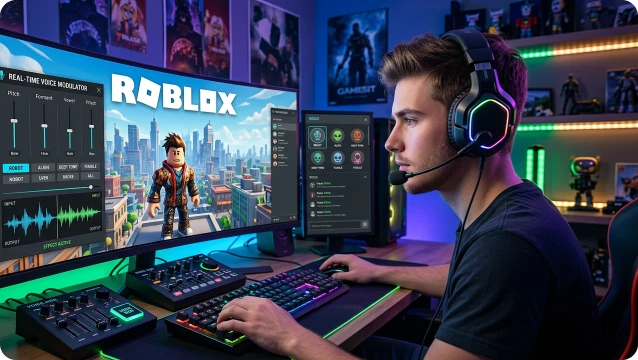
EaseUS VoiceWave delivers instant voice processing with no noticeable delay, so your voice changes in real time while you speak. This keeps your reactions, callouts, and communication smooth and fully in sync with fast-paced sandbox gameplay in titles like Minecraft or Rust, whether you're in combat or roleplay situations.
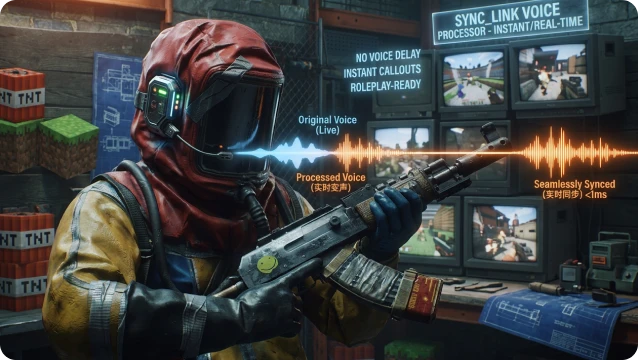
Low latency voice changing interface preview

Natural & Realistic Voice Effects

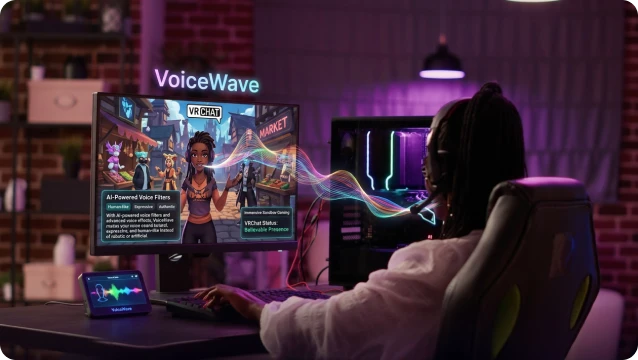
With AI-powered voice filters and advanced voice effects, VoiceWave makes your voice sound natural, expressive, and human-like instead of robotic or artificial. It helps you build a believable presence in VRChat and other multiplayer voice chat environments, enhancing immersion across sandbox gaming experiences.

AI voice effects gallery preview

Voice Styles for Every Playstyle

VoiceWave gives you access to 400+ voice presets, effects, and styles designed for different gaming scenarios. Whether you're using Monster, Robot, or Anime voices for roleplay voice chat, or switching to deeper tones for survival communication, you can easily adapt your voice to match every moment in your sandbox gameplay.

Soundboard control preview

Works with Your Gaming Setup

This voice changer integrates seamlessly with modded servers, proximity voice chat, and community gaming setups. Whether you're playing in Minecraft servers, Rust survival lobbies, or social spaces like VRChat, it works smoothly with your existing voice chat and gaming environment without extra setup or friction.

VoiceWave working with games chat and streaming apps

Supported Games & Platforms

One tool, all games. Experience real-time AI voices across all your favorite FPS titles and platforms

Immersive RP Pranks & Server Trolling

From confusing entire servers to epic roleplay pranks, see how these creators use VoiceWave to turn every sandbox session into a viral comedy goldmine.

FREE Voice Changer For ALL Games!

FREE Voice Changer For ALL Games!

Trump Cristiano Ronaldo SonGoku
I TURNED INTO A GIRL IN QUICKSAND IN ROBLOX!

I TURNED INTO A GIRL IN QUICKSAND IN ROBLOX!

Hatsune Miku
How to Change Your Voice in Fortnite

How to Change Your Voice in Fortnite

Darth Vader Candice
C00lkidd & Bluudud Voice Troll in Roblox

C00lkidd & Bluudud Voice Troll in Roblox

Bluudud C00lkidd
Voice Trolling as GOJO in Roblox

Voice Trolling as GOJO in Roblox

Satoru Gojo
E-girl Voice Changer for Roblox

E-girl Voice Changer for Roblox

E-girl

Frequently Asked Questions

Absolutely. VoiceWave is fully compatible with FiveM and RedM. It functions as a global virtual audio driver, meaning it integrates seamlessly with proximity chat and tactical radio plugins (like SaltyChat or TokoVOIP).

Generally, no. Using a voice changer like EaseUS VoiceWave does not violate game rules, as it only modifies your outgoing audio and does not interact with game files or anti-cheat systems. VoiceWave works as a standard microphone device, similar to a regular headset, so it is safe to use in most sandbox games.

Yes, you can. VoiceWave allows you to assign custom hotkeys to different voice profiles, so you can switch between them instantly during gameplay without leaving the game. This is especially useful in sandbox games like Minecraft, Roblox, or Rust, where you may want to change roles on the fly—for example, switching from a friendly merchant to a hostile bandit in seconds.

Not at all. We use Zero-Latency Monitoring technology. You can hear your transformed voice in real-time without the distracting "echo" effect. This allows you to react naturally to other players' callouts and stay in character without the mental fatigue caused by audio delay.

No. VoiceWave is built to be resource-light. Whether you are navigating a 3.8-billion-block Minecraft project or a crowded Roblox hub, our engine runs in the background with negligible CPU usage, ensuring your game stays smooth while your voice stays in character.

Definitely. VoiceWave is a powerful tool for Machinima creators and streamers. It integrates perfectly with OBS, Streamlabs, and TikTok. You can record multiple NPC roles in a single session, saving you the cost of hiring extra voice actors for your sandbox storytelling.

footer-bg
Change Your Voice VoiceWave App
Download on the App Store
Free Download