-
![]()
Joey Albert
Joey has been involved with tech ever since she joined the EaseUS editor team in March 2011 and now she is a senior website editor. She is good at solving various issues, such as video downloading and recording.…Read full bio -
![]()
Alin
Alin is a sophisticated editor for EaseUS in tech blog writing. She is proficient in writing articles related to screen recording, voice changing, and PDF file editing. She also wrote blogs about data recovery, disk partitioning, data backup, etc.…Read full bio -
![]()
Gorilla
Gorilla joined EaseUS in 2022. As a smartphone lover, she stays on top of Android unlocking skills and iOS troubleshooting tips. In addition, she also devotes herself to data recovery and transfer issues.…Read full bio -
![]()
Rel
Rel has always maintained a strong curiosity about the computer field and is committed to the research of the most efficient and practical computer problem solutions.…Read full bio -
![]()
Dawn Tang
Dawn Tang is a seasoned professional with a year-long record of crafting informative Backup & Recovery articles. Currently, she's channeling her expertise into the world of video editing software, embodying adaptability and a passion for mastering new digital domains.…Read full bio -
![]()
Sasha
Sasha is a girl who enjoys researching various electronic products and is dedicated to helping readers solve a wide range of technology-related issues. On EaseUS, she excels at providing readers with concise solutions in audio and video editing.…Read full bio
Page Table of Contents

Jane Zhou
Updated on Jun 16, 2026
0 Views |
0 min read
Roblox's voice chat feature (Spatial Voice) allows players to communicate in real time, coordinate with teammates, and enjoy more interactive gameplay. However, many players encounter restrictions when trying to enable voice chat, such as the requirement to verify their age with an ID. As a result, "how to get voice chat on Roblox without ID" has become a popular search topic.
In this article, we'll break down the official rules, common myths, and community-reported methods, so you can understand what actually works and what doesn't. We'll also explore safe alternatives that let you enjoy voice chat on Roblox or other platforms.
Official Roblox Voice Chat Requirements
If you've ever wondered how to get voice chat on Roblox or Roblox voice chat not working, you're not alone! Roblox's Spatial Voice feature lets you talk to other players in real time, making the game feel way more immersive. But here's the thing: not everyone can just turn it on. From what I've seen and tried, Roblox has a few rules to make sure the feature stays safe and fun for everyone.
Here's a quick breakdown of the main requirements:
| Requirement | What It Means |
| Minimum Age | Must be 13 years or older |
| Age Vertification | Usually involves uploading an ID and taking a selfie |
| Supported Regions | Only works in countries where Roblox officially offers voice chat |
So, it's clear that no one can actually get or enable voice chat in Roblox without an ID!
Common Myths About Getting Voice Chat on Roblox Without ID
If you've been searching for ways to get voice chat on Roblox without ID, you've probably come across all kinds of "tips" online. I've looked into a bunch of these myself, and honestly, a lot of them are either misunderstood or just don't work the way people expect. Here are the most common myths, and what's actually going on behind them.
#1. Get Voice Chat on Roblox with Just Phone Verification
🔔Reality check: No, it doesn't work.
Some guides suggest that verifying your phone number is enough to unlock voice chat, but that's not really how it works. Phone verification is mainly used for account security, like protecting your account and confirming ownership.
From what I've seen, it doesn't replace the age verification (ID check) required for voice chat. Even if your phone number is verified, you'll still need to meet Roblox's age verification requirements to access the feature.
#2. Unlock Voice Chat Using Setting Tricks
🔔Verdict: Not reliable.
You might come across suggestions like:
- Changing your birthday
- Tweaking privacy settings
- Turning certain options on and off
These "tricks" are often shared as quick fixes, but they're not officially supported. In most cases, they don't actually do anything. If they seem to work for someone, it's usually because of other factors—not the settings themselves.
#3. Use VPN to Get Voice Chat
🔔Verdict: Not worth the risk.
Some users suggest using a VPN to switch regions and unlock voice chat. While this might sound like a workaround, it comes with a few downsides:
- It may violate Roblox's policies
- It doesn't guarantee voice chat will appear
- It could potentially cause account issues
From a practical standpoint, it's just not a reliable or safe solution.
At the end of the day, there's no consistent or official way to unlock voice chat without going through Roblox's verification system. Knowing this can save you a lot of time—and help you focus on options that actually work, which we'll get into next.
Share this post with others if you find it helpful!

Alternative Ways to Communicate While Playing
Even if you can't unlock Roblox voice chat right away, don't worry, you still have plenty of ways to chat with your friends while gaming. From my experience, using external voice platforms is a reliable and safe solution. Here are some options that work well alongside Roblox:
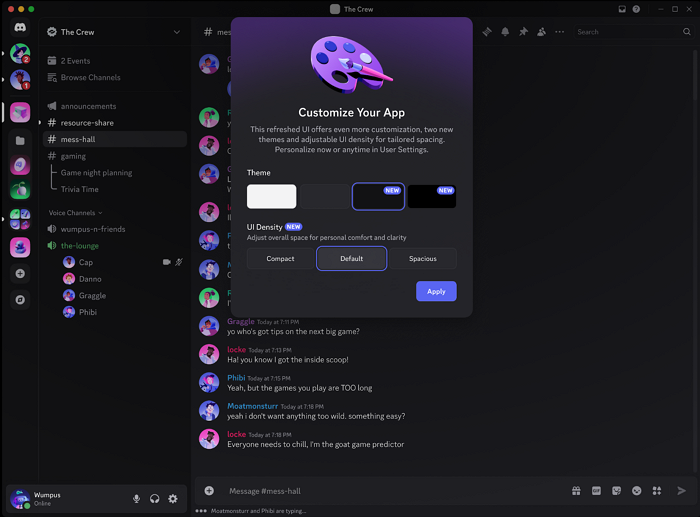
#1. Discord
Discord is probably the most popular choice among gamers. You can create a server, join voice channels, and chat with friends in real time while still playing Roblox. The best part is that it works in the background, you can hear your teammates and coordinate without interrupting gameplay.
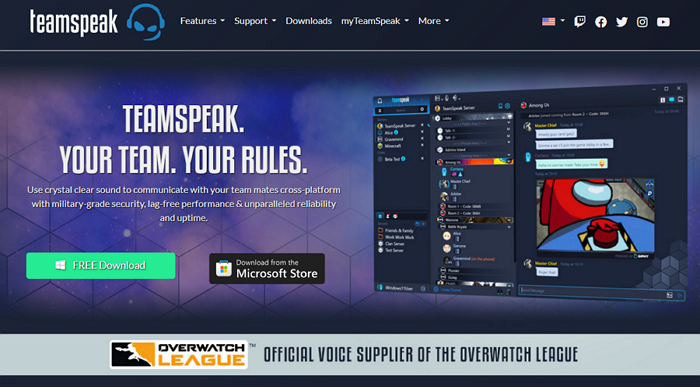
#2. TeamSpeak
TeamSpeak is another classic option for gamers who want low-latency voice communication. It's lightweight and stable, and many competitive players still use it for real-time coordination. Like Discord, it runs alongside Roblox, so you won't miss any in-game action.
#3. Zoom
While Zoom is mainly used for meetings, it's surprisingly effective for gaming groups too. You can set up a private meeting with your friends, use the audio-only mode if you prefer, and stay in sync during games. It's especially useful if you have a larger group or want to combine voice chat with screen sharing.
The key advantage of these external platforms is that they don't rely on Roblox's age verification or regional rollout. You can start chatting immediately, organize your team, and even have more control over your audio settings.
Enhance Your Roblox Game Experience with EaseUS VoiceWave
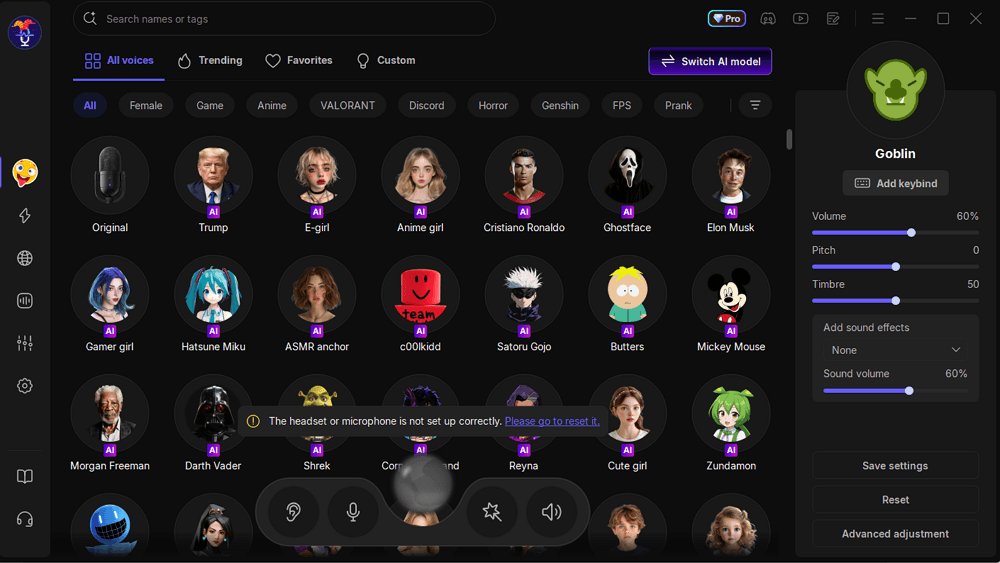
If you want to take your in-game communication to the next level, EaseUS VoiceWave is a fun and easy way to enhance your voice while chatting. I've tried it myself, and it adds a whole new layer of creativity and privacy to gaming sessions.
What VoiceWave Can Do
- Change Your Voice: Turn your voice into different characters, funny effects, or even a deep/robotic tone. Perfect for roleplaying or just goofing around with friends.
- Entertainment & Interaction: Make team chats more lively by switching voices on the fly, surprising your friends, or acting out different personas during gameplay.
- Privacy Protection: Keep your real voice private while still communicating clearly with your teammates.
- Compatible with Discord, Zoom, TeamSpeak: Works seamlessly with the platforms you're already using alongside Roblox, so you don't have to change your setup.
Getting started is simple. You can download this real time voice changer and start experimenting right away, whether it's for fun, creativity, or privacy. It's the perfect companion for Roblox and other gaming platforms, especially if voice chat isn't available or you just want to spice up your communication. Just hit the blow button to get this AI voice changer!
Conclusion
Getting Roblox voice chat without ID isn't possible officially, and most "hacks" online don't really work.
The good news? You can still chat with friends using Discord, Zoom, or TeamSpeak, and make it more fun or private with EaseUS VoiceWave. Knowing the rules and using safe alternatives lets you enjoy gaming fully without risking your account.
FAQs
1. Can you get voice chat on Roblox without ID?
No, there is no official way to enable voice chat without completing age verification. Any method claiming otherwise is not reliable or supported.
2. Do you need ID to verify your age on Roblox?
In most cases, yes. Roblox typically requires users to upload a government-issued ID and complete a selfie check to confirm their age.
3. Can I use Roblox voice chat without verifying my age?
No, age verification is required to unlock voice chat. If your account isn't verified, the feature won't be available.
4. Why don't I have voice chat on Roblox?
There could be several reasons, including:
- Your account is under 13
- You haven't completed age verification
- The feature isn't available in your region
5. What can I use instead of Roblox voice chat?
If you can't access voice chat, you can still communicate using apps like Discord or Zoom while playing.