












VoiceWave Logo VoiceWave
  • User Guide
  • Features & Scenarios
  • Voice Effects
  • FAQs
Change Voice Now

See an Overwatch Voice Changer in Real Gameplay

Curious how a voice changer sounds during real matches in Overwatch? Watch this gameplay demo to hear how different voice effects can transform in-game communication, roleplay moments, and team voice chat.

  • Step 1

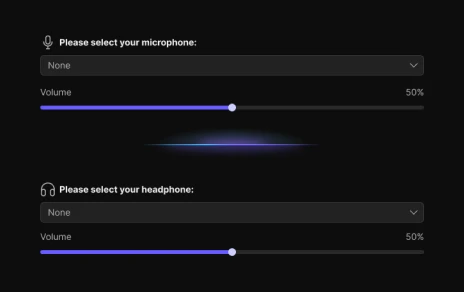
    Install EaseUS VoiceWave on your device and select the input and output devices.

    get configured on voicewave
  • Step 2

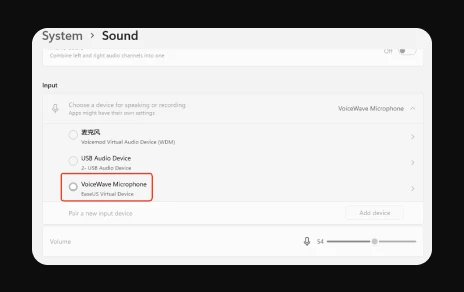
    Open your system "Sound settings," set VoiceWave Microphone as your default input device. Save and apply.

    set default input device on Windows
  • Step 3

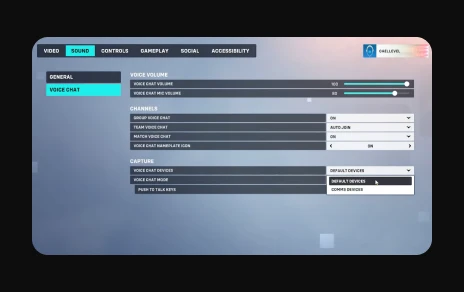
    Open the game, go to "OPTIONS" > "SOUND" > "VOICE CHAT," under "capture" >"VOICE CHAT DEVICES," set to "DEFAULT DEVICES."

    set default devices on overwatch

Common Troubleshooting Tips

Fix Overwatch Voice Chat Not Working:

If you can't hear teammates or they can't hear you in Overwatch voice chat, the issue is often related to incorrect audio device settings. Make sure your microphone and headset are properly selected in the game's sound settings. Also check your system's input device in Windows and ensure the microphone isn't muted or blocked by privacy permissions. Restarting the game after adjusting audio settings can also help restore voice chat functionality.

Get Overwatch Voice Changer Now

Have Fun and Wow Your Friends in Overwatch with EaseUS Voice Changer

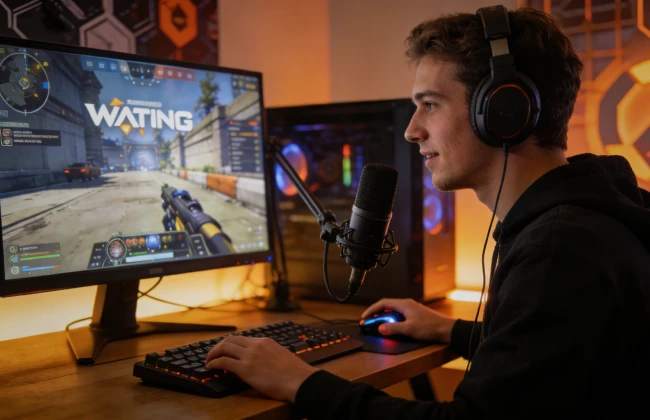
multiplayer gaming

Online Multiplayer Gaming: Using an Overwatch voice changer in multiplayer FPS games can greatly enhance in-game interaction and fun. Players can transform their voices in real time to match different hero characters, making it easier for teammates to identify roles and adding personality to team communication. Additionally, a real-time voice changer can help protect privacy while boosting immersion and overall entertainment.

Free Download

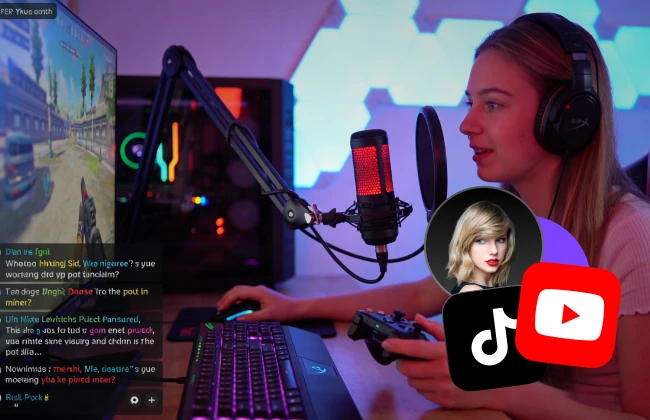
Live Streaming Gameplay: For streamers, EaseUS voice changer is a powerful tool for engaging viewers and enriching live gameplay. By applying different voice effects, streamers can bring their in-game characters to life, create humorous or dramatic moments, and surprise their audience. This not only diversifies the content but also increases audience participation and loyalty, making every live session more engaging.

Free Download
streaming gameplay
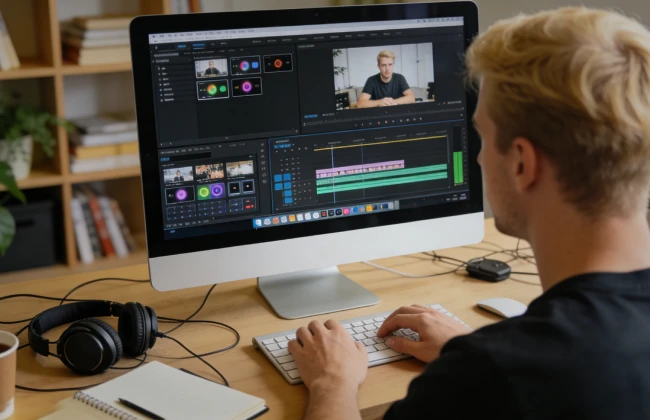
use voicewave on social media content

Social Media Content: In short videos and social media content creation, a voice changer for Overwatch can make clips more lively and memorable. Creators can add hero voices, funny soundboards, or character interactions to their gaming clips, increasing entertainment value and viewer engagement. This helps creators stand out in a competitive content space while making their videos more entertaining and shareable.

Free Download

Selective AI Voices for Overwatch

  • gamer-girl
     

    Gamer Girl

  • spongebob
     

    E-girl

  • c00lkidd
     

    c00lkidd

  • hatsune-miku
     

    1x1x1x1

  • taylor-swift
     

    Loki

  • ghost
     

    Goku

Get Overwatch Voice Changer Now

Why Choose EaseUS VoiceWave

  • AI-powered voice changer with highly realistic voices.

  • Over 200 trending voice effects available.

  • Seamlessly integrates with all major games and voice chat platforms.

  • Simple and intuitive with a 3-step setup.

  • Customize voice effects to your liking.

  • Essential voice changer you won’t want to live without.

Frequently Asked Questions

1. Can I create custom soundboards for Overwatch?

2. Can teammates hear the changed voice in real time?

3. Does a voice changer affect gameplay performance or FPS?

4. Can I use Overwatch voice effects on platforms like Discord or Twitch?

How to Use VoiceWave with Other Games & Chat Apps

  • discord
  • csgo
  • pubg
  • valorant
  • whatsapp
  • telegram
  • roblox
  • vrchat
 

EaseUS VoiceWave

More Than an Overwatch Voice Changer

EaseUS VoiceWave is built for far more than a single game. Its real-time effects, low-latency processing, and broad platform compatibility make it a powerful voice tool for any online multiplayer title, including Valorant, Fortnite, Apex Legends, CS:GO, League of Legends, and many others. Whether you're teaming up in competitive matches, entertaining viewers during live streams, or producing gaming content, VoiceWave lets you transform your voice effortlessly across all your favorite games and apps.

Get Overwatch Voice Changer Now
footer-bg
Change Your Voice VoiceWave App
Download on the App Store
Free Download