-
![]()
Joey Albert
Joey has been involved with tech ever since she joined the EaseUS editor team in March 2011 and now she is a senior website editor. She is good at solving various issues, such as video downloading and recording.…Read full bio -
![]()
Alin
Alin is a sophisticated editor for EaseUS in tech blog writing. She is proficient in writing articles related to screen recording, voice changing, and PDF file editing. She also wrote blogs about data recovery, disk partitioning, data backup, etc.…Read full bio -
![]()
Gorilla
Gorilla joined EaseUS in 2022. As a smartphone lover, she stays on top of Android unlocking skills and iOS troubleshooting tips. In addition, she also devotes herself to data recovery and transfer issues.…Read full bio -
![]()
Rel
Rel has always maintained a strong curiosity about the computer field and is committed to the research of the most efficient and practical computer problem solutions.…Read full bio -
![]()
Dawn Tang
Dawn Tang is a seasoned professional with a year-long record of crafting informative Backup & Recovery articles. Currently, she's channeling her expertise into the world of video editing software, embodying adaptability and a passion for mastering new digital domains.…Read full bio -
![]()
Sasha
Sasha is a girl who enjoys researching various electronic products and is dedicated to helping readers solve a wide range of technology-related issues. On EaseUS, she excels at providing readers with concise solutions in audio and video editing.…Read full bio
Page Table of Contents

Jane Zhou
Updated on Jun 16, 2026
0 Views |
0 min read
In Bungie's Marathon, you inhabit the cybernetic shell of a Rook. However, using a standard human voice often shatters the gritty, sci-fi immersion of Tau Ceti IV. This vocal disconnect is why players seek a Marathon voice changer: to align their natural speech with their digitized identity. And here, we will show you some excellent real-time voice changers for gaming to help you make your voice sound like a seasoned cybernetic operative. Now, let's dive into it!
Why Do You Need A Voice Changer for Marathon?
In the high-stakes world of Marathon, your voice is part of your tactical rig. Here's why every Rook needs a dedicated Marathon voice changer for gaming:
- ✅Cybernetic Immersion: A standard human voice breaks the sci-fi atmosphere. Modulating your speech into a robotic or synthesized tone ensures you fully embody your machine-enhanced avatar.
- ✅Tactical Presence: In proximity chat, a cold, distorted mechanical voice sounds like a seasoned veteran, giving you a psychological edge over rival crews.
- ✅Content Branding: For streamers on Twitch or YouTube, a unique "Rook persona" adds cinematic value to your broadcasts, making your gameplay stand out.
Top 3 Marathon Voice Changers
To find the perfect balance between high-tech immersion and seamless FPS gameplay, you need a tool that fits your tactical setup. Here are the top 3 Marathon voice changers to help you transform your human vocals into a battle-hardened cybernetic operative.
#1. VoiceWave
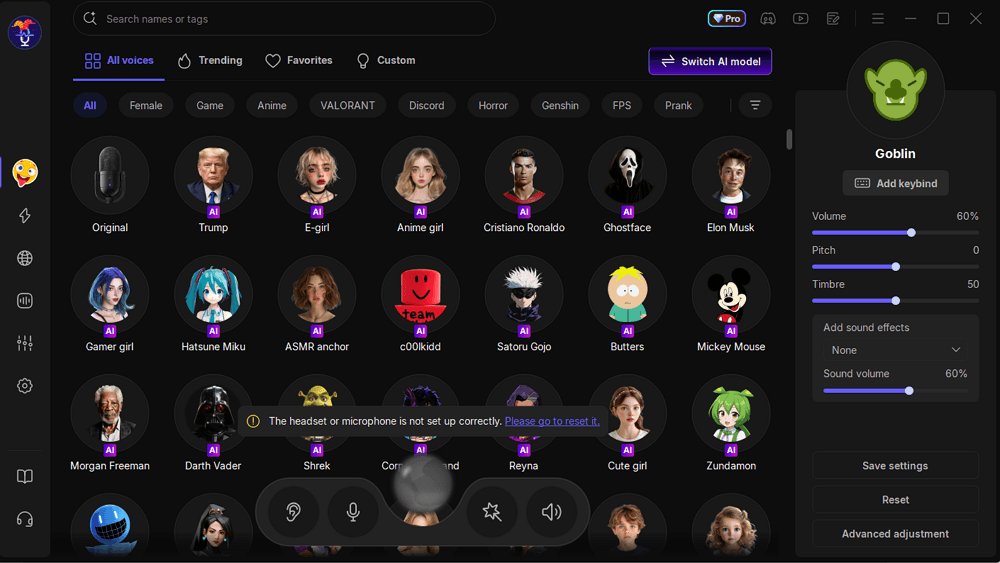
VoiceWave is a powerful marathon voice changer designed for gamers and streamers who need reliable, real-time voice transformation during long sessions. It offers low-latency performance, a variety of customizable voice effects, from mechanical and sci-fi tones to playful or dramatic voices, and cross-platform compatibility for Discord, Steam, Zoom, and Twitch. Its stable performance and lightweight design ensure hours of uninterrupted use, while the intuitive interface makes it easy to switch voices or adjust settings on the fly.
Key Features:
- Real-Time Voice Modulation: Instantly change your voice during gameplay or streaming.
- Low-Latency Performance: No delays or lags, ideal for extended gaming or live streams.
- 300+ Voice Effects: Mechanical, sci-fi, humorous, or dramatic tones to match your character.
- User-Friendly Interface: Easy setup and controls for effortless long-term use.
With EaseUS VoiceWave, you can fully immerse yourself in games like Bungie's Marathon, stream creatively, and communicate naturally with teammates, making every marathon session more engaging and fun.
#2. Voicemod
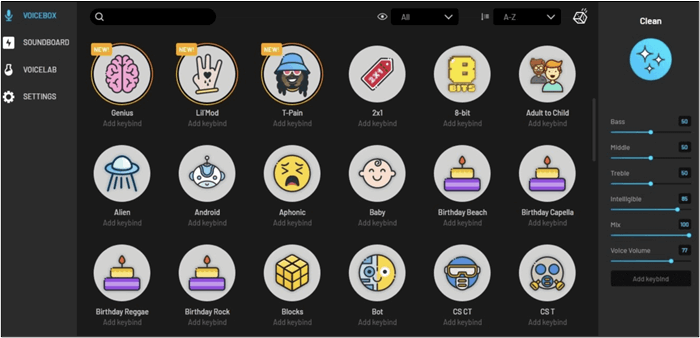
Voicemod is a widely used real-time voice changer known for its diverse voice effects and intuitive interface. For FPS games like Bungie's Marathon, which involve extended voice communication, Voicemod allows players to adopt mechanical, sci-fi, cartoon, or humorous tones, helping maintain engagement and creativity during multiplayer interactions.
Its real-time voice modulation and easy-to-use setup make it suitable for short gaming sessions, casual streams, and creative voice interactions, as well as for users who want to add fun and variety to multiplayer communication. However, those who prioritize long-term stability and consistent character voices during marathon sessions may encounter some limitations.
Advantages:
- Variety of preset voices and sound effects.
- Real-time voice modulation and voice mixing features.
- Cross-platform compatibility (Discord, Twitch, Zoom, etc.).
- Free version available with basic features; paid version unlocks advanced effects.
- User-friendly interface for quick voice switching and adjustments.
Limitations:
- Higher CPU usage during long gaming sessions.
- Minor latency may occur in extended use.
#3. Clownfish Voice Changer
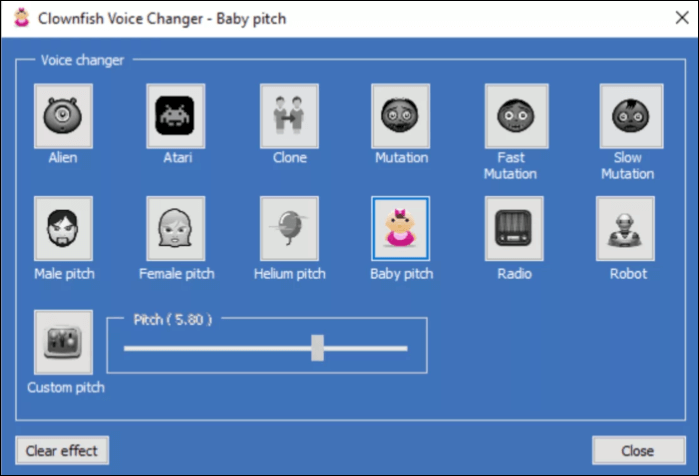
Clownfish Voice Changer is a simple, real-time voice changer designed for gamers who need a lightweight solution that won't heavily impact system performance during extended sessions. For games like Bungie's Marathon, it offers basic voice modulation features, allowing players to adopt robotic, male/female, or alien tones while maintaining long-term stability and low CPU usage. Its straightforward interface and system-wide compatibility make it easy to apply across different voice chat platforms.
Advantages:
- Lightweight and low CPU usage, suitable for long marathon gaming sessions.
- Real-time voice modulation with several preset voice types (robotic, male/female, alien).
- Free to use with all core features available.
- Simple interface, easy to set up and operate without advanced configuration.
Limitations:
- Fewer voice effect options compared to software like Voicemod or EaseUS VoiceWave.
- Limited customization for pitch, tone, or advanced modulation.
How to Set Up a Voice Changer for Marathon
Setting up your cybernetic voice for Marathon's extraction zones is straightforward. Follow these five steps to sync your Marathon voice changer with your in-game comms:
Step 1. Download and launch VoiceWave
First, download and install EaseUS VoiceWave on your PC. Ensure the software is running before you launch Marathon to allow the virtual driver to initialize.
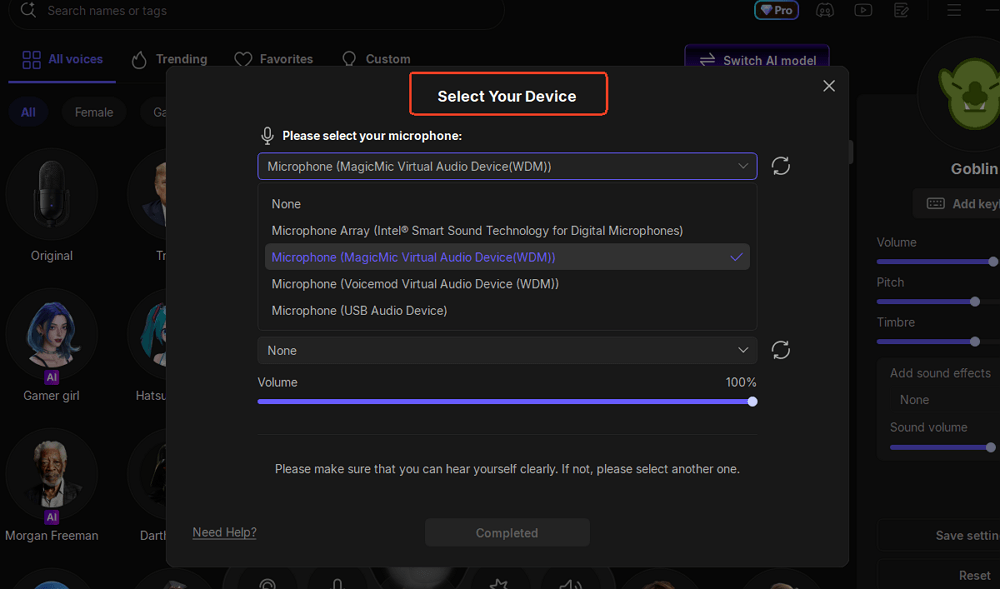
Step 2. Configure audio input and output
Within the VoiceWave settings, select your physical microphone as the Input Device and your headphones/speakers as the Output Device. This ensures the software can capture and process your natural voice correctly.
Step 3. Change in-game audio settings in Marathon
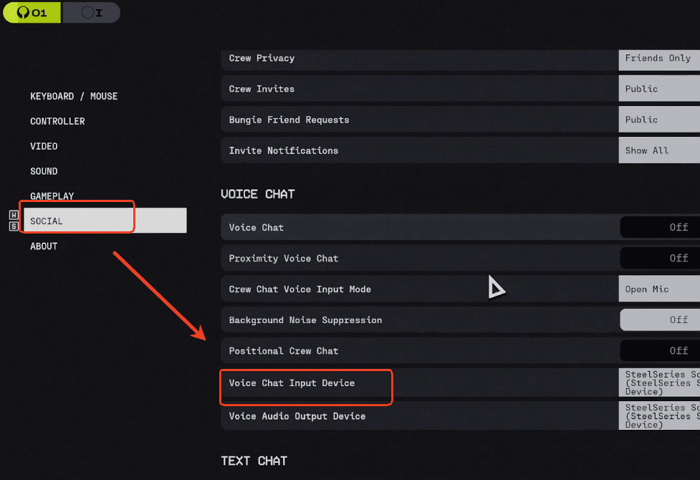
Launch Marathon and click GAME MENU at the bottom right, click SOCIAL > VOICE CHAT > Voice Chat Input Device, and change it from your microphone to VoiceWave Virtual Audio Device
Final Words
In the high-stakes world of Marathon, your identity is as critical as your loadout. Transitioning from a human voice to a cybernetic persona isn't just about immersion—it's about commanding presence and building your legend in the ruins of Tau Ceti IV. While there are several great tools available, EaseUS VoiceWave offers the most seamless balance of low-latency performance and authentic sci-fi filters for any serious Rook.
Whether you are coordinating a tactical extraction or haunting rivals in proximity chat, the right voice modulator is the final piece of your cybernetic evolution. Ready to upgrade your comms? Download EaseUS VoiceWave today and let your true Rook voice be heard.
FAQs
1. Will using a voice changer get me banned in Marathon?
No. Voice changers like EaseUS VoiceWave and Voicemod operate as virtual audio drivers and do not modify the game's core files or provide any competitive advantage (like aimbots). As long as you aren't using it to harass other players, it is completely safe and compliant with Bungie's terms of service.
2. Does a voice changer cause lag or FPS drops during extractions?
It depends on the software. Lightweight tools like EaseUS VoiceWave are optimized for gaming and have a negligible impact on performance. However, AI-heavy modulators may consume more CPU. If you experience lag, we recommend using a "Performance Mode" or a more efficient tool.
3. Can I use a voice changer on PS5 or Xbox Series?
Most voice changers are PC-based. To use them on consoles, you would need to route your console audio through a PC using a capture card or a dedicated audio mixer (like a GoXLR). For the easiest experience, we recommend playing the PC version of Marathon.
4. Does it work with Marathon's Proximity Chat?
Yes! Once you set the "VoiceWave Virtual Audio Device" as your default input in the game's sound settings, any effect you select will be broadcast to both your teammates and nearby enemies in proximity chat.