-
![]()
Joey Albert
Joey has been involved with tech ever since she joined the EaseUS editor team in March 2011 and now she is a senior website editor. She is good at solving various issues, such as video downloading and recording.…Read full bio -
![]()
Alin
Alin is a sophisticated editor for EaseUS in tech blog writing. She is proficient in writing articles related to screen recording, voice changing, and PDF file editing. She also wrote blogs about data recovery, disk partitioning, data backup, etc.…Read full bio -
![]()
Gorilla
Gorilla joined EaseUS in 2022. As a smartphone lover, she stays on top of Android unlocking skills and iOS troubleshooting tips. In addition, she also devotes herself to data recovery and transfer issues.…Read full bio -
![]()
Rel
Rel has always maintained a strong curiosity about the computer field and is committed to the research of the most efficient and practical computer problem solutions.…Read full bio -
![]()
Dawn Tang
Dawn Tang is a seasoned professional with a year-long record of crafting informative Backup & Recovery articles. Currently, she's channeling her expertise into the world of video editing software, embodying adaptability and a passion for mastering new digital domains.…Read full bio -
![]()
Sasha
Sasha is a girl who enjoys researching various electronic products and is dedicated to helping readers solve a wide range of technology-related issues. On EaseUS, she excels at providing readers with concise solutions in audio and video editing.…Read full bio
Page Table of Contents

Jane Zhou
Updated on Jun 16, 2026
0 Views |
0 min read
In Escape from Tarkov, voice chat adds a whole new layer to gameplay, but what if you could change your voice in real time? Many players use real-time voice changers for fun, roleplay, or to surprise others during raids. In this guide, you'll discover the best voice changer tools for Tarkov and how to use them without affecting performance.
Is Voice Changer Allowed in Escape from Tarkov?
Many FPS players searching for an Escape from Tarkov voice changer worry about whether using one is allowed, since game rules and bans are common concerns.
Gaming voice changers are not explicitly banned in Tarkov, as they only modify your microphone input and don't affect the game itself. However, misuse, such as spamming, harassment, or disruptive audio, can lead to player reports.
5 Best Voice Changers for Escape from Tarkov
If you're ready to start changing your voice in Tarkov, the first step is picking a reliable tool. The right voice changer should offer real-time effects, low latency, and easy setup, so your gameplay remains smooth and uninterrupted. Here are the top 5 options we recommend:
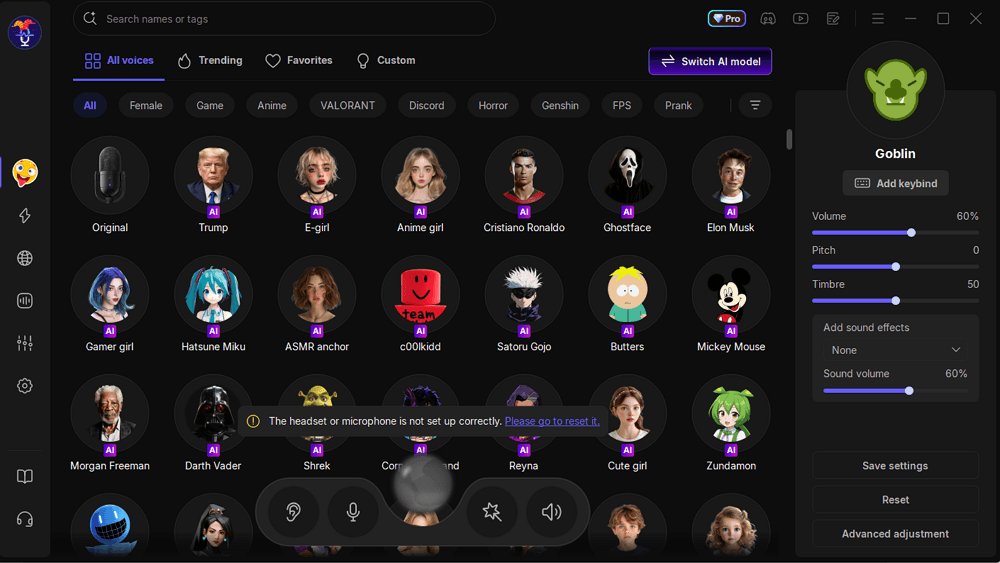
#1. VoiceWave
VoiceWave is a lightweight voice changer designed for gamers and works well with Escape from Tarkov. It offers real-time voice modification, allowing players to switch between effects like robotic, deep, or character-style voices during raids without interrupting gameplay.
The tool is optimized for low-latency performance, ensuring clear, smooth communication with teammates while remaining compatible with most microphones and in-game voice chat software.
Pros
- Real-time voice changing, ideal for live gameplay
- Low-latency design to avoid affecting game performance
- 400+ creative and character voice filters
Cons
- Advanced features require a subscription
Price: Free basic version; premium subscription around $14.95/month
#2. Voicemod
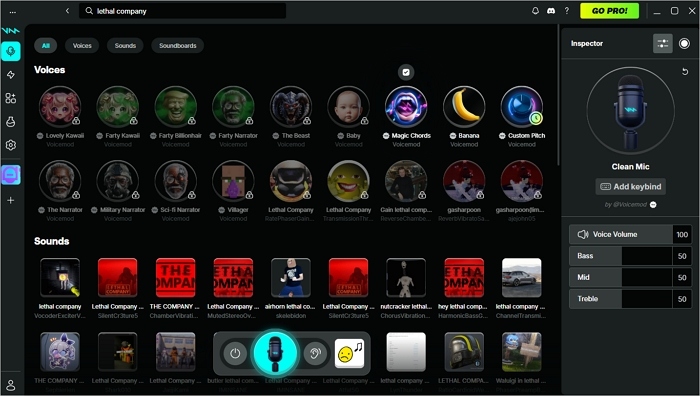
Voicemod is a highly customizable real-time voice changer that works smoothly with Escape from Tarkov. Unlike simpler tools, it offers a vast library of voice filters, including Anime, sci-fi, and villain voices, plus a voiceboard feature that instantly triggers sound effects during raids. Its low-latency engine ensures clear communication with teammates, and it integrates seamlessly with popular streaming and voice chat apps, including Tarkov.
Pros
- Massive variety of creative and themed voice filters
- Voiceboard feature for quick sound effects in-game
- Works well with streaming setups (OBS, Discord)
Cons
- The free version is limited to a few filters
- Can be resource-heavy on lower-end PCs
#3. MorphVox
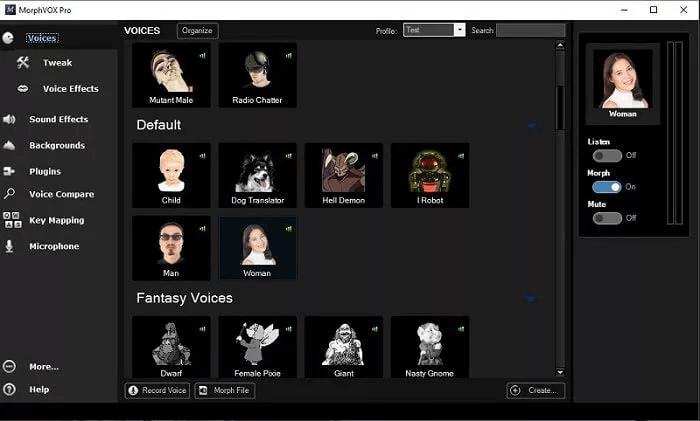
MorphVox is a professional-grade voice changer that works well with Escape from Tarkov for players who want high-quality, realistic voice modulation. It features advanced voice-learning technology to produce natural-sounding effects, including deep, high-pitched, and character voices.
This voice changer also integrates with team chat software, allowing seamless use in Tarkov raids without noticeable delay. Its customization options make it ideal for players looking to roleplay or create unique tactical personas in-game.
Pros
- High-quality, natural-sounding voice effects
- Advanced customization for character or tactical voices
- Works smoothly with team chat and streaming setups
Cons
- Paid software, no fully-featured free version
- Slightly higher system requirements than lightweight tools
Price: Free basic version; premium subscription around $39.99
#4. Voice.ai
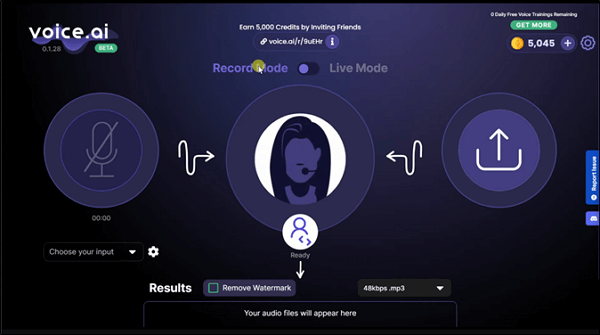
Voice.ai is an AI-powered real-time voice changer that works seamlessly with Escape from Tarkov. Unlike traditional voice changers, it uses artificial intelligence to produce highly natural and expressive voices, allowing players to sound like completely different characters or even celebrities. Its real-time engine ensures minimal latency, making it suitable for raids and live team communication. Voice.ai also supports quick voice swapping, perfect for tactical scenarios where players want to disguise their voice mid-game.
Pros
- AI-generated voices sound very natural and realistic
- Real-time processing with low latency
- Quick voice switching for in-game tactical use
Cons
- Requires a modern PC for optimal performance
Price: Free basic version; premium subscription around $14.99/month
#5. Dubbing AI
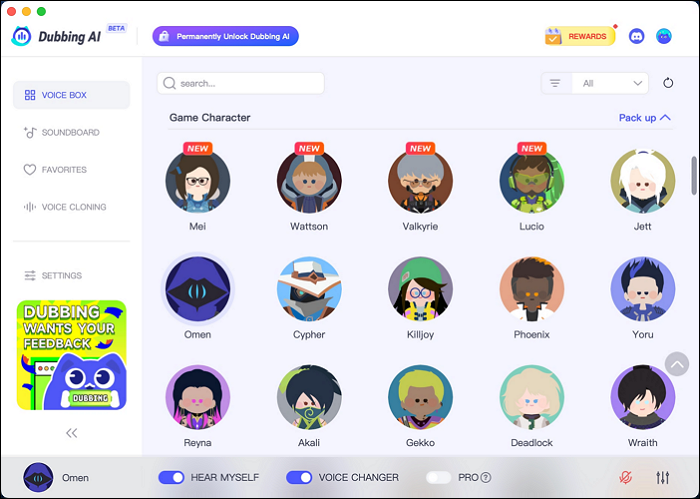
Dubbing AI is a real‑time AI voice changer that stands out from many traditional tools by using advanced AI to transform your voice instantly with minimal latency (under ~30 ms) and a massive library of character voices, perfect for players who want highly expressive, natural‑sounding audio while playing Escape from Tarkov.
It supports over 500+ iconic voices from games, anime, and pop culture that can be used live in raids, team chats, or streaming. You can also customize pitches, tones, and effects, and even access community‑created voices or voice cloning for more personalized transformations.
Pros
- Real‑time AI voice transformation with very low latency, ideal for live gameplay
- Huge selection of characters and expressive voice styles (anime, game, celebrity, etc.)
- Voice customization (pitch, tone) and community voices for creative variation
Cons
- Can require a bit of configuration to get the best sound in games
Tips for Using Voice Changer in Escape from Tarkov
Using a voice changer in Tarkov can be fun, but optimizing your setup makes a big difference in both performance and player reactions.
Avoid Lag
- Use lightweight tools or lower effect intensity
- Close unnecessary background apps
- Choose voice changers with low-latency modes
Improve Audio Quality
- Use a decent microphone instead of built-in mics
- Avoid extreme effects that make your voice unclear
- Test your voice before entering a raid
Don't Get Reported
- Keep it fun, not annoying (no constant screaming or spam)
- Avoid overly loud or distorted sounds
- If your teammates can't understand you, it's probably too much
Conclusion
Using a voice changer in Escape from Tarkov can make raids more fun, creative, and immersive. For a seamless experience, you want a tool with real-time voice modification, low latency, and full game compatibility.
Among all options, EaseUS VoiceWave stands out as the top choice. It's lightweight, beginner-friendly, and optimized for Tarkov, offering a variety of creative voice effects without lag or complex setup. Whether you want to roleplay, prank friends, or add flair to team chats, VoiceWave delivers consistently reliable performance.
Other tools like Voicemod and Dubbing AI also offer unique filters and AI-powered voices, while MorphVox provides a simple, low-resource option. But if you want a balance of ease, speed, and versatility, EaseUS VoiceWave is the go-to solution.
FAQs
1. Will using a voice changer get me banned by BattlEye?
No. Voice changers like VoiceWave only process your microphone's audio signal before it reaches the game; they do not inject code into the game files or manipulate memory. Since they don't provide a competitive advantage (like wallhacks or aimbots), they are safe to use. However, always ensure your voice changer is reputable software and doesn't interfere with the game's executable.
2. Does a voice changer cause lag or FPS drops during raids?
It depends on the tool. For a high-stakes game like Tarkov, where every frame counts, we recommend using lightweight tools like VoiceWave, which are optimized for gaming and have negligible impact on performance.
3. Can other players in proximity chat (VOIP) hear my changed voice?
Yes. Once you set your voice changer's "Virtual Audio Device" as your default microphone in Windows and Tarkov's sound settings, any player within VOIP range will hear your modified voice. This is perfect for roleplaying as a Scav or adding a robotic filter for a "UNTAR" tactical persona.
4. What are the best settings for clear communication in Tarkov?
To ensure your teammates can still understand your callouts:
- Keep the Pitch Moderate: Avoid extremely high or low pitches that distort words.
- Noise Reduction: Enable the noise cancellation feature within your voice changer to filter out background fan noise or keyboard clicks.
- Test in Hideout: Use the game's loopback test or a third-party app to listen to yourself before heading into a PMC raid.
5. Is it possible to use a soundboard through the voice changer in EFT?
Yes. Tools like Voicemod and VoiceWave include soundboard features. You can map sound effects to hotkeys to play them over VOIP. Just a heads-up: spamming loud or disruptive noises can lead to other players reporting you for "VOIP Abuse," so use it sparingly and creatively!